Effective: October 6, 2026Last updated: October 21, 2026
Privacy Policy
This Privacy Policy explains how PRGRES (“the app”, “we”, “us”) handles your information. It applies to the PRGRES app for iPhone and iPad, available on the Apple App Store, and to this website, prgrs.app.
The short version
PRGRES doesn't collect your data. There's no account and no server, and the app sends nothing to us.
- Your workouts are stored on your iPhone or iPad. We never receive them.
- No account or sign-in, no in-app purchases, no ads, no analytics, no crash reporters and no third-party SDKs.
- Apple Health is optional. If you allow it, PRGRES saves finished workouts to Health (iOS 26 and later) and reads sleep, heart rate variability and resting heart rate for the readiness check, on your device.
- Dictation in Quick Log uses Apple's speech recognition, which may send your audio to Apple.
- Otherwise, your data leaves your device only when you send it: a CSV export, a shared workout, plan or card, or an email to us. Saving a card to Photos asks iOS for add-only access, only when you tap Save Image.
- This website counts visits with Umami: no cookies, and your IP address isn't stored.
1. Who We Are
PRGRES is provided by Baris Yakali (“the developer”), based in the Netherlands. The developer is the data controller for the limited purposes described in this policy. For any privacy questions, contact us at baris@prgrs.app.
2. What Data We Collect
None. PRGRES has no account, no sign-in, no in-app purchases and no server. The app doesn't send your workouts, settings, usage data or device information to us or to anyone else, so we can't view, retrieve or recover your data. The only personal data we ever receive is what you choose to send us, such as an email (see When You Contact Us).Data can leave your device only in these ways:
- Dictation. If you dictate in Quick Log, Apple's speech recognition may send your audio to Apple to turn it into text. See Dictation in Quick Log.
- Things you send yourself. A CSV export, a shared workout, plan or card, or an email to us goes wherever you send it. See Exporting, Importing and Sharing.
- Your backups. iCloud Backup and backups to your computer can include PRGRES data. See What PRGRES Stores on Your Device.
- Apple Health. Workouts PRGRES saves to Health are kept by Health, like the rest of your Health data. See Apple Health.
- Apple's crash reports. If you share analytics with app developers, Apple may send us crash reports and usage statistics. See No Tracking, No Analytics, No Advertising.
3. What PRGRES Stores on Your Device
PRGRES keeps what you create in the app's own storage on your device:
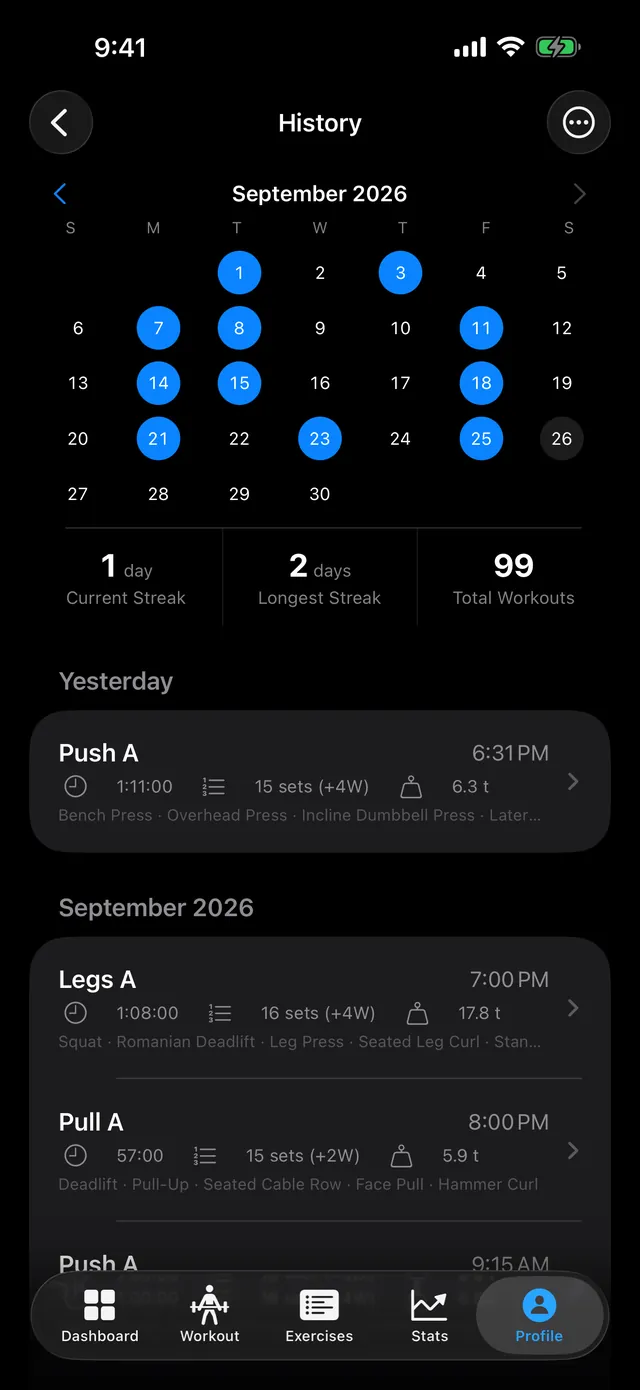
- Workouts: exercises, sets, weights, reps, RPE, durations and notes.
- Plans, custom exercises, and the favorites and notes you add to exercises.
- Bodyweight entries.
- Progress such as XP, levels, achievements and challenges.
- Settings such as units, rest timer, reminders, appearance and the dictation language.
4. Apple Health
Apple Health is optional, and PRGRES works fully without it. PRGRES can only save or read Health data after iOS asks you and you allow it. You can change your choices at any time in the Health app or in Settings.Saving workouts (iOS 26 and later). PRGRES asks to save workouts to Health when you start your first workout, or earlier if you connect Apple Health for readiness. If you allow it, each workout you track live in PRGRES is saved as a Traditional Strength Training workout with its start and end time, total sets, total volume and exercise names. On iOS 17 to 25, PRGRES doesn't write anything to Health.Reading for readiness. If you tap Connect Apple Health in Stats > Readiness, PRGRES asks to read your sleep, heart rate variability (HRV) and resting heart rate. If you allow it, PRGRES reads your most recent night's sleep and your average HRV and resting heart rate over the last 3 and 30 days, and uses them to adjust your readiness. This happens on your device. PRGRES reads them again each time it works out your readiness and doesn't keep a copy.The Health data PRGRES reads stays on your device. We never receive it, it isn't included in exports or shared links, and it is never used for advertising or marketing, sold, or shared with anyone. Workouts saved to Health stay there until you delete them in the Health app, even if you use Delete All Data or delete PRGRES.
5. Dictation in Quick Log
Dictation is optional. You can always type in Quick Log instead.The first time you tap the microphone, iOS asks for permission to use the microphone and speech recognition. While you dictate, PRGRES passes the sound from your microphone to Apple's speech recognition, which turns it into text. Apple may send your audio to its servers to do this. Apple handles that audio under Apple's Privacy Policy, not this policy.PRGRES doesn't record or save your audio, and never sends it to us. The microphone stops when you tap it again or after 3 seconds without speech. PRGRES then turns the text into exercises and sets on your device, using rules rather than an AI service.You can turn off microphone or speech recognition access at any time in Settings > Privacy & Security.
7. Rating PRGRES
Settings > About > Rate PRGRES opens PRGRES's page in the App Store, where you can write a review. That page is run by Apple under Apple's Privacy Policy, and PRGRES doesn't learn whether you wrote a review.After a finished workout that sets a personal record, levels you up or unlocks an achievement, PRGRES may ask iOS to show Apple's rating prompt, at most once per app version and at least 60 days apart. Apple shows and handles the prompt. PRGRES doesn't see your answer or your rating, and gives nothing in return for one. PRGRES keeps the date and version of its last request on your device so it doesn't ask too often.
8. When You Contact Us
If you email us at baris@prgrs.app, or send a message with the feedback form on this website, we receive what you send: your email address, your name if you give it, your message and any attachments. The feedback form asks for your name, email address, a topic and your message.If PRGRES can't open its database, it shows an Email Support button. That button opens a draft in your mail app with the app version, iOS version, device type (iPhone or iPad) and the technical error details filled in. You can read and change the draft, and nothing is sent unless you send it.We use these messages only to answer you and to fix problems. The legal basis is our legitimate interest in answering you (GDPR Article 6(1)(f)). Emails you send us are received and stored by our email service providers on our behalf. We don't add you to a mailing list or share your messages with anyone else, and we delete them once we no longer need them to help you.
9. This Website
This website, prgrs.app, uses Umami to count visits, so we can see which pages people read and how they find them. Umami doesn't use cookies and doesn't store anything on your device. For each page you open, it records:
- The page's address, and the page or site that linked to it.
- Your browser, operating system, device type, screen size and language.
- Your country, region and city, looked up from your IP address.
- Roughly how long the page was on your screen, and whether you clicked a link to PRGRES on the App Store.
10. No Tracking, No Analytics, No Advertising
PRGRES contains:
- No analytics or usage tracking of any kind.
- No crash-reporting or diagnostics code.
- No advertising and no advertising identifiers.
- No third-party SDKs. PRGRES uses only Apple's own frameworks.
- No AI services. Readiness, set suggestions, insights and the Quick Log parser are rules that run on your device.
11. Apple and Other Third Parties
We don't sell, rent or share your data. PRGRES doesn't connect to any server of ours and contains no code that sends your data over the internet. The only network traffic it causes is Apple's speech recognition while you dictate, and pages it opens when you tap them: this policy in your browser, and PRGRES's App Store page from Rate PRGRES. The third parties involved are:
- Apple, which runs the App Store you download PRGRES from (including the page Rate PRGRES opens and the rating prompt) and provides iCloud Backup, Apple Health and the speech recognition used for dictation. Apple handles that information under Apple's Privacy Policy. App Store download records aren't shared with us in a form that identifies you.
- The apps and services you choose when you export or share something, such as Messages, Mail, AirDrop or Files. They handle what you send under their own terms.
- Our email service providers, which receive and store the emails you send us on our behalf (see When You Contact Us).
- Umami, which counts visits to this website for us (see This Website).
12. Your Rights
You are in full control of your data. Because it is stored on your device:
- To access or review your data, open it in the app.
- To correct or update it, edit it in the app.
- To take a copy, use Export Workouts in Settings > Data.
- To delete it, use Delete All Data in Settings > Data, which removes your workouts, plans, custom exercises, bodyweight entries and progress. Deleting the app removes everything PRGRES stores on your device, including your settings.
- Workouts saved to Apple Health stay there until you delete them in the Health app. Copies you exported or shared stay wherever you sent them, and copies in your backups stay until those backups are replaced or deleted.
13. Data Retention
PRGRES keeps your data on your device until you delete it, with Delete All Data or by deleting the app. We never receive your workouts, so we don't retain them. We keep emails and feedback messages only as long as we need them to help you, and then delete them. Visit statistics for this website are kept for 6 months.
14. Children's Privacy
PRGRES is intended for a general audience and is not directed at children under the age of 13 (or under 16 in the EU/EEA). We do not knowingly collect personal data from children. The app collects no personal data from anyone, children included.
15. International Users
PRGRES is available to users worldwide. Your workouts stay on your device and are never transferred to us. Data that Apple handles, such as dictation audio and iCloud backups, is processed under Apple's own privacy terms and may be processed in other countries. Emails you send us are stored by our email service providers, which may process them outside your country under their own data protection terms. Visit statistics for this website are stored by Umami on servers in the US and the EU.
16. Changes to This Policy
We may update this Privacy Policy from time to time, for example if the app's features change. When we do, we will revise the “Last updated” date above and, where the change is significant, provide notice within the app or on the app's App Store listing. We encourage you to review this policy periodically. If a future version of PRGRES adds an account, sync or any other feature that collects data, we will update this policy and the App Store privacy details before that version is released.
17. Governing Law
This Privacy Policy is governed by the laws of the Netherlands, without prejudice to any mandatory consumer protection or data protection rights you may have under the laws of your country of residence.
18. Contact Us
If you have any questions, concerns, or requests regarding this Privacy Policy or your privacy, contact Baris Yakali at baris@prgrs.app.
PRGRES keeps your data on your device and collects none of it.
PRGRES is available on the Apple App Store.
© 2026 PRGRES. All rights reserved.

Get the app
Free, with no limits, no account and no ads.

For iPhone and iPad with iOS 17 or later.