Last checked
Strong vs PRGRES: a free Strong app alternative
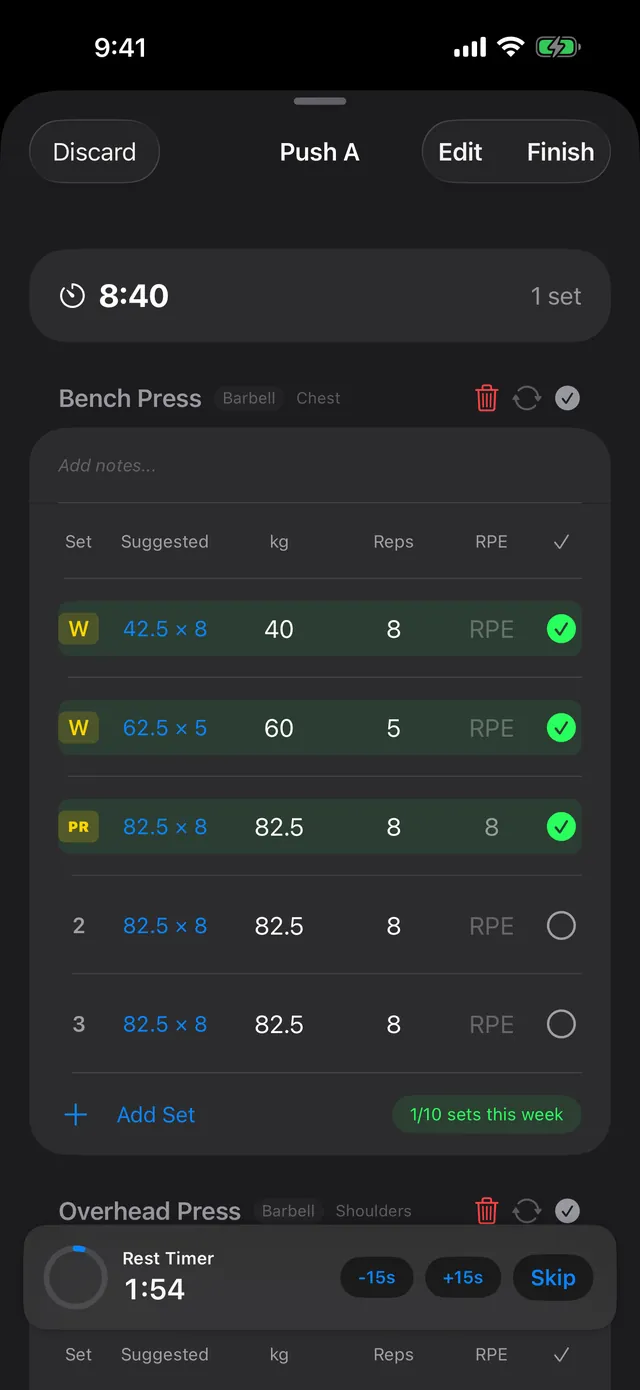
Strong’s free version lets you save 3 routines. PRGRES is a free workout tracker for iPhone with no routine limit and no account. It imports your Strong history too.

PRGRES is free on the App Store for iPhone and iPad with iOS 17 or later.
Strong’s free version: 3 routines
Strong’s free version saves unlimited workouts, but you can keep only 3 routines. Strong’s help center calls them workout templates. Strong PRO, Strong’s paid upgrade, removes the limit.
In PRGRES, routines are called plans, and there’s no limit on how many you save. You don’t pay for them either: every feature in the app today is free.
Strong vs PRGRES at a glance
| Feature | Strong, free version | PRGRES |
|---|---|---|
| Routines | Up to 3 | No limit |
| Unlimited routines | With Strong PRO (paid) | Free |
| Account | Prompts you to sign up for a Strong account | None |
| Where workouts are kept | Synced to Strong’s cloud through your account | On your iPhone |
| Devices | iPhone and Android, synced between them | iPhone and iPad, not synced |
A Strong app alternative with no routine limit
What it costs. PRGRES is free. Every feature in the app is free, with no limits on plans, workouts, custom exercises or history.
No account. There’s nothing to sign up for. Open the app and log a workout.
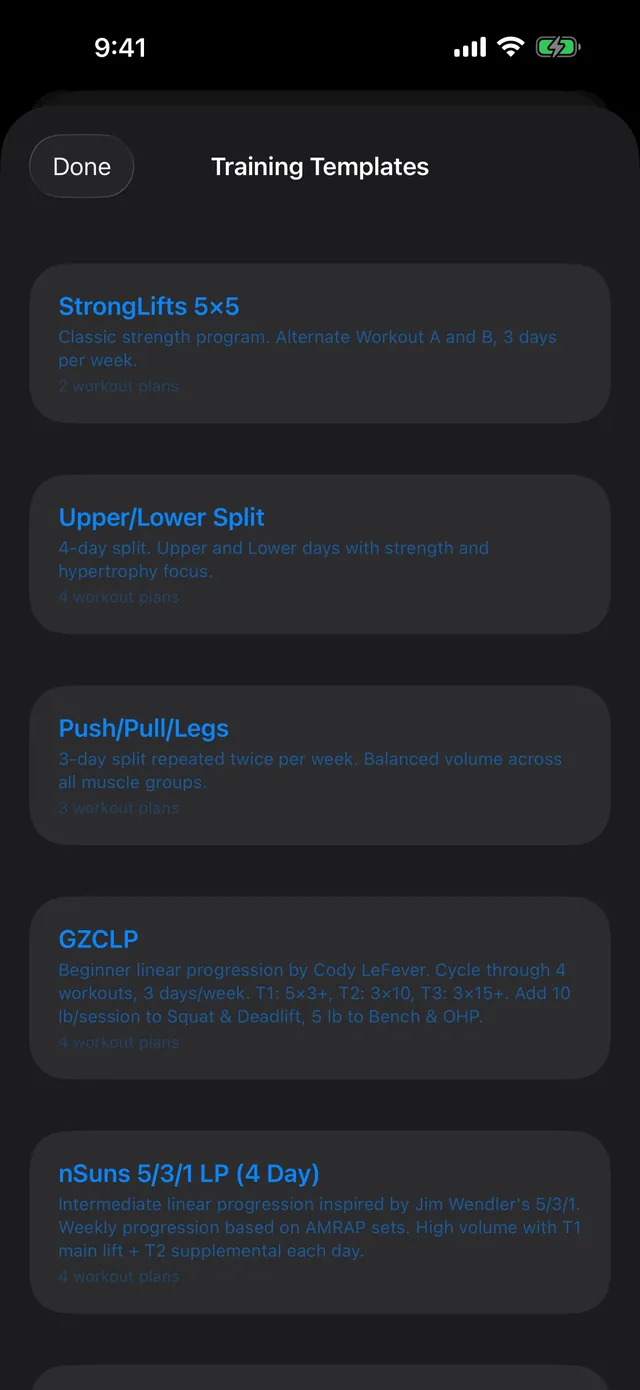
Unlimited routines. PRGRES calls them plans, and you can save as many as you like.
Your workouts are stored on your iPhone. PRGRES has no account system and no server, so the developer never receives them.
No data collected. The App Store privacy label for PRGRES reads “Data Not Collected”: the developer collects no data from the app.
Logging works offline. Log a workout with no signal or in airplane mode.
How to move your workouts from Strong
PRGRES imports the CSV export from Strong. Your Strong history comes with you.
- In Strong, open Settings and tap Export Workouts. On Android it’s Settings > Export Data. Strong must be set to English when you export: for a file in another language, PRGRES shows “Set Strong to English, then export again.” Save the CSV to the Files app.
- In PRGRES, open Profile > Settings > Import Workouts (it’s also in the ⋯ menu on the History screen), tap Select CSV File and choose the Strong export.
- Check the preview. If the file doesn’t say whether weights are in kg or lbs (Strong’s iPhone export doesn’t), pick the unit under Weights in the file, right above the Import button, and if its distances have no unit, pick km or mi under Distances in the file.
- Tap the Import button.
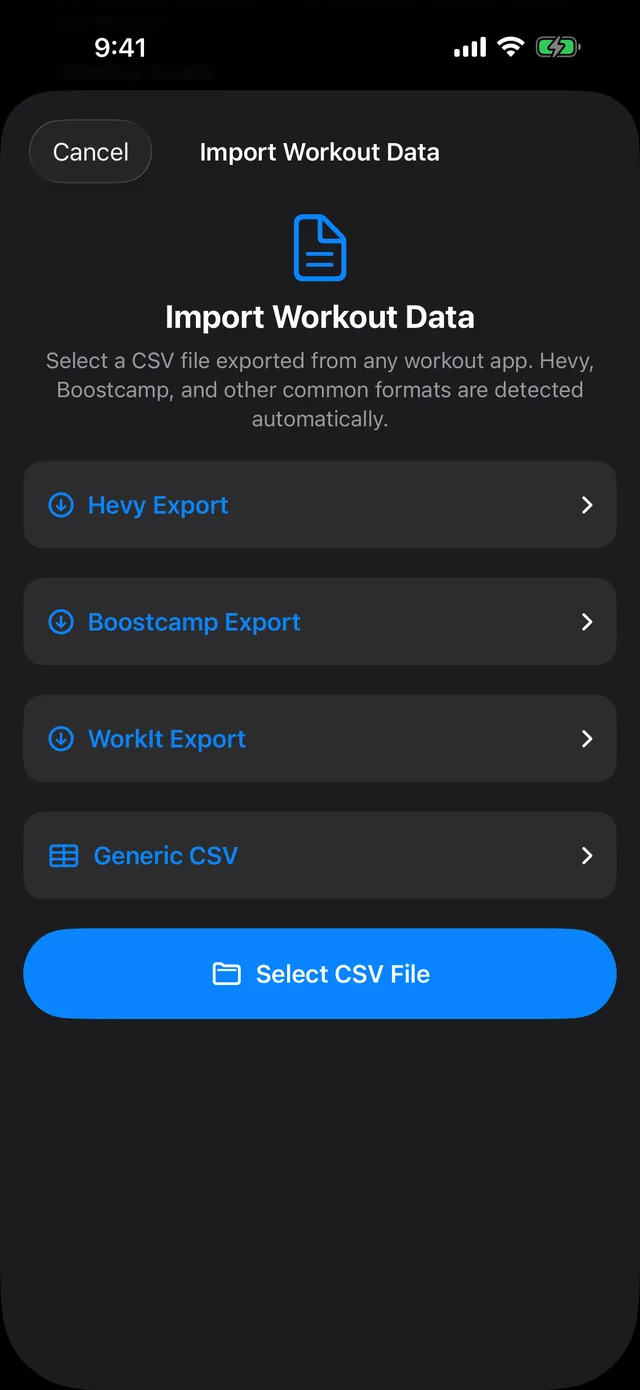
Your workouts come over with their sets, RPE, warm-up and drop sets, timed and distance sets, and exercise and workout notes. Strong routines aren’t imported, so rebuild them as plans; there’s no limit on how many you save. Workouts already in your History, and repeated copies inside the file, are skipped.
A summary then shows the totals, the date range, your top lifts, and your XP, level and achievements. Imported workouts count toward your XP, level and achievements: each workout an import adds earns its base XP, and workouts already in your History earn nothing. The import guide has the details.
What Strong has that PRGRES doesn’t
Strong runs on Android as well as iPhone, has an Apple Watch app, and your Strong account keeps your workouts synced between devices. PRGRES runs only on iPhone and iPad, has no Apple Watch app and doesn’t sync: each device keeps its own log, and restoring a backup of your iPhone is how your workouts move to a new phone.
Comparing more than one app? Hevy vs PRGRES covers Hevy’s free version, and free alternatives to Strong and Hevy puts both side by side.
Sources
Strong’s limits and features were last checked on October 11, 2026, on Strong’s own help center and App Store listing. Strong’s features change over time, so check its pages for the latest.
Get the app
Free, with no limits, no account and no ads.
For iPhone and iPad with iOS 17 or later.