How to move your Hevy workouts to PRGRS
Hevy exports your workout history as a CSV with one row per set. The steps in both apps, which columns PRGRS reads, and what to check before you import.
By Baris Yakali, who builds PRGRS
Published
PRGRS, the iPhone tracker I make, reads Hevy’s workout export directly. It matches Hevy’s exercise names to its own library and shows you a preview before it saves anything. One condition: PRGRS reads weights from a column named weight_kg, and some Hevy exports use weight_lbs instead, so step 1 ends with a check. The steps below match Hevy’s help center and PRGRS 1.3 as of September 2026.
1. Export your workouts from Hevy
Hevy documents the path as Profile > Settings > Export & Import Data > Export Data (Hevy’s help article). Settings is the icon at the top right of the Profile tab.
- Tap Export Workouts. PRGRS can’t import the other option, Export Measurements.
- When the file is ready, choose Save to Files in the share sheet, so PRGRS can open it from iCloud Drive or On My iPhone.
The file has one row per set. Before you go further, open it in Numbers, Excel or Google Sheets and look at the header row for a weight_kg column. If your file has weight_lbs instead, PRGRS stops with the error “Missing required columns: weight (kg)” and can’t import it. If that happens, send me the header row through the contact form.
2. Import the file into PRGRS
If you don’t have PRGRS yet, it’s listed on the App Store as PRGRES. The importer is under Profile > Settings > Import Workouts, in the Data section (Settings is the gear icon). It’s also in the three-dot menu on the History screen.
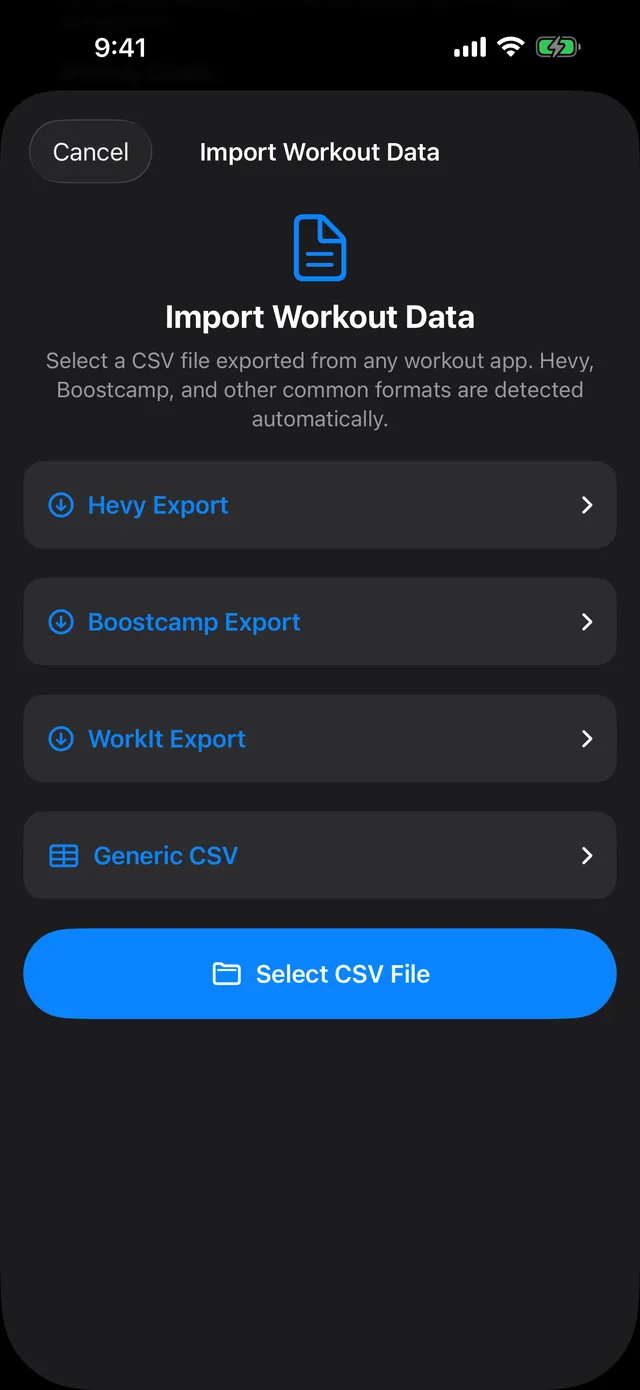
- Open Import Workouts, tap Select CSV File and choose the Hevy export. You don’t pick a format: PRGRS recognizes a Hevy file by its title, exercise_title and weight_kg columns, and the preview says “Detected format: Hevy.”
- Read the preview. It counts the workouts, exercises and sets in the file, lists the exercises it matched to its library (Hevy’s “Bench Press (Barbell)” becomes “Bench Press”), and lists the exercises it will create as new.
- Tap any workout to see every set. The Replace button next to an exercise swaps it for another one, in that workout only.
- Tap the Import button at the bottom. The result screen shows how many workouts came in, plus the XP and achievements your old training earned.
A workout with the same name and date as one already in PRGRS is skipped, so importing a file twice won’t double anything.
What carries over
| In the Hevy file | In PRGRS |
|---|---|
| title | Workout name |
| start_time, end_time | Date, start time and duration |
| exercise_title | Exercise, matched to the library where possible |
| set_index | Set order |
| weight_kg, reps | Weight and reps, shown in kg or lb |
| rpe | RPE |
| set_type | Warm-up and drop sets keep their type. Failure sets become AMRAP sets. |
Workout descriptions, exercise notes, superset pairings and the duration and distance columns aren’t imported. A set with no weight and no reps, like a timed plank or a run, is skipped. Hevy routines aren’t in the workout export, so rebuild them as plans in PRGRS or start one of its seven built-in programs, such as GZCLP.
3. Check the exercise names
PRGRS finds your previous sessions by exercise name. When Hevy’s bench press lands on PRGRS’s Bench Press, your first bench session in PRGRS pre-fills from your last Hevy session, the Suggested target on each set builds on it, and a new PR has to beat your Hevy numbers.
An exercise PRGRS can’t match becomes a custom exercise with Full Body as its muscle. Its history and charts work, but its sets don’t count toward any muscle’s weekly sets, and PRGRS can’t change a custom exercise’s muscle later. To fix that before you import:
- In the preview, open the list of new exercises and note the names.
- Tap Cancel, go to the Exercises tab, tap +, and create each one with exactly the same name and the right muscle.
- Open Import Workouts again and select the file. The importer looks for an exact name match first (capitalization doesn’t matter), so every workout now uses your exercise.
The same trick fixes a wrong automatic match, because the importer tries the exact name before any looser match. For an exercise that shows up in only a few workouts, Replace in each of those workouts is quicker.
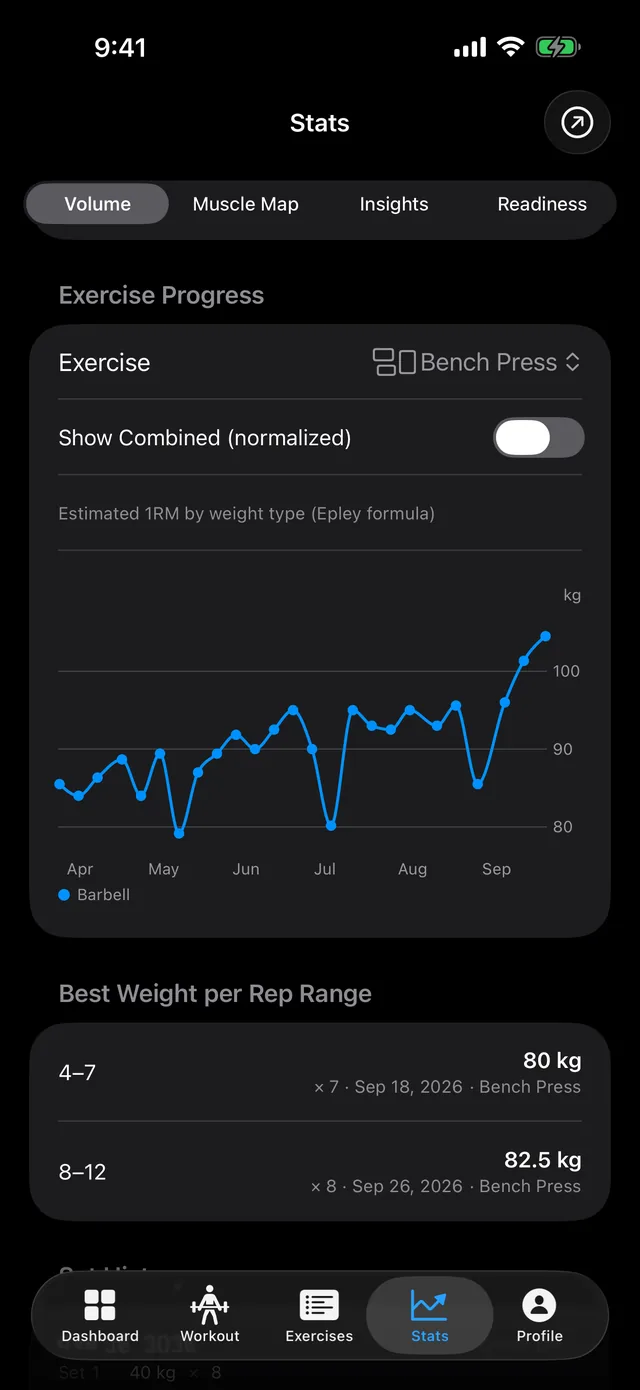
After the import, your Hevy sessions are on the History calendar, and each lift’s estimated 1RM chart in Stats runs back through them.
Boostcamp, WorkIt and other CSV files
The same screen reads Boostcamp and WorkIt exports, detected the same way. From Boostcamp it imports only completed workouts. WorkIt files have no workout names, so each day becomes one workout called Workout.
Anything else can come in as a generic CSV in PRGRS’s own format, with one row per set. The required columns are Date, Workout, Exercise, Weight (kg) and Reps. Set #, RPE and Set Type are optional. Dates can be ISO 8601 (2025-01-15T10:30:00Z) or YYYY-MM-DD. The Generic CSV section on the import screen lists the columns and has a Weight Unit in File setting, which WorkIt files use too. It starts on the unit the app uses, so set it to match your file before you select it.
Strong exports aren’t supported. Strong names its columns differently (Workout Name, Exercise Name, Weight), and PRGRS doesn’t recognize them.
What’s different after you switch
- Your log lives on your phone. Hevy stores your workouts on its servers, under your profile. PRGRS has no account system, and I don’t run a server for the tracker. It works with no signal, but nothing syncs: your iPhone and iPad keep separate logs, and a lost phone with no backup takes the log with it. Here’s how to back up PRGRS.
- Only iPhone and iPad. Hevy has an Apple Watch app, Android and web apps, and a social feed (checked September 2026). PRGRS has none of those.
- Cost. Hevy’s free version allows 4 routines and 7 custom exercises and shows 3 months of stats history (Hevy’s comparison). Hevy Pro removes those limits for $2.99 a month, $23.99 a year or $74.99 once (US App Store, checked September 2026). In PRGRS, plans are unlimited, and every feature in the app today stays free.