6 min read
Strong vs Hevy vs PRGRES: prices, free versions and differences
What Strong and Hevy cost, what their free versions leave out, and where PRGRES fits. Prices checked on the US App Store in October 2026.

By Baris Yakali, who builds PRGRES
Published . Updated
Strong and Hevy both log unlimited workouts for free. Strong's free version holds 3 routines and Hevy's holds 4, and Hevy's paid plans cost 20 to 40% less than Strong's.
I make PRGRES, a free workout tracker for iPhone and iPad, so I'm not neutral. It's a much smaller app than either, and I build it on my own in the Netherlands. Every price and limit here comes from the apps' App Store listings and help centers, checked on October 11, 2026. If you only care about Strong vs Hevy, the first section covers it.
Prices and free versions
| App | Free version | Monthly | Yearly | Lifetime |
|---|---|---|---|---|
| Strong | Unlimited workouts, 3 routines | $4.99 | $29.99 | $99.99 |
| Hevy | Unlimited workouts, 4 routines, 3 months of stats | $2.99 | $23.99 | $74.99 |
| Fitbod | None, only a 7-day trial | $15.99 | $95.99 | Promo only, around Black Friday |
| JEFIT | Yes, with ads | $12.99 | $69.99 | None |
| PRGRES | Everything in the app | Nothing to pay | Nothing to pay | Nothing to pay |
PRGRES is free. Every feature in the app is free, with no limits on plans, workouts, custom exercises or history. PRGRES+, an optional paid add-on for cloud sync, backup, and an AI coach, is planned. It isn't available yet, and nothing in the app today moves behind it.
Between Strong and Hevy, Hevy is cheaper on every plan: about 40% less by the month, 20% less by the year and 25% less for lifetime. Its free version also allows one more routine.
On yearly plans, three years of Strong PRO costs $89.97 and three years of Hevy Pro costs $71.97. Both apps also sell lifetime access: Strong PRO Forever at $99.99 and Hevy Pro lifetime at $74.99. Each costs a little more than three years of the yearly plan, so if you expect to use the app longer than that, paying once works out cheaper. Hevy also takes 50% off the first year of annual Pro a few times a year, for first-time subscribers. The sale doesn't apply to lifetime.
Fitbod and JEFIT are in the table for reference. Fitbod is the one that generates workouts for you with AI, and after the 7-day trial you need a subscription to log new ones.
Strong's free version
Strong's free version logs unlimited workouts, and CSV export is free too. The limit is routines: you can save 3 templates. That covers a 3-day full-body program or a push/pull/legs rotation. An upper/lower split with separate A and B days needs four.
Strong PRO adds unlimited templates, access to all charts, body part measurements, a plate calculator, a warm-up calculator, and custom icons and themes. If the plate calculator is the only PRO feature you'd use, the plate calculator on this site does the same job in a browser.
Hevy's free version
Hevy's free version has no cap on workouts and includes the social feed, the Apple Watch app and the exercise library with videos. The limits are 4 routines, 7 custom exercises, and stats that reach back 3 months. Older workouts stay in your history but drop out of the charts.
Pro removes those limits and adds a warm-up calculator, more body measurements (the free version records body weight and waist only) and Hevy Trainer, which builds a program from your goals, equipment and schedule and tells you when to add weight.
What all three do
All three log sets, reps and weight, keep your workout history and have a rest timer. In Hevy and PRGRES, a Live Activity shows the workout in progress on the Lock Screen and in the Dynamic Island.
Where Strong and Hevy are ahead of PRGRES
- Apple Watch. Strong's watch app logs workouts with or without your iPhone. Hevy's runs your routines and syncs live with your phone, and Hevy has a Wear OS app too. PRGRES has no watch app.
- Android. Both run on Android. PRGRES runs on iPhone and iPad only.
- Sync. Your log lives in your Strong or Hevy account, so it follows you to a new phone or a second device. Hevy also has a web app at hevy.com.
- Social. Hevy has a feed where you follow friends, see their workouts and copy their routines.
- Apple Health. Both save workouts to Health, and Strong also syncs bodyweight and body fat with it (Strong help center). PRGRES saves workouts to Health only on iOS 26 and later, and only the ones you track live.
What PRGRES does differently
No caps on plans, exercises or stats
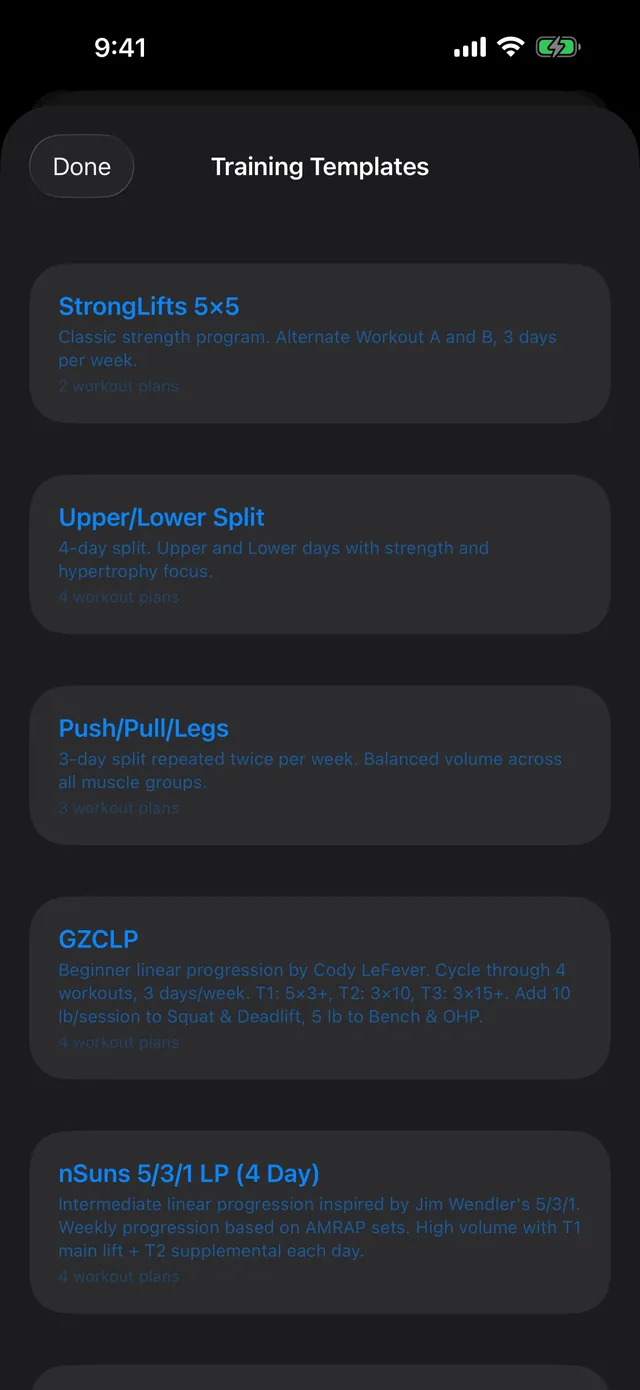
Make as many plans and custom exercises as you like, and your charts can cover your whole history. It comes with 7 built-in programs, including StrongLifts 5×5, GZCLP and nSuns 5/3/1 LP. The plate and warm-up calculators are included. Strong puts both in PRO, and Hevy's warm-up calculator is a Pro feature.
Suggested targets that use your RPE
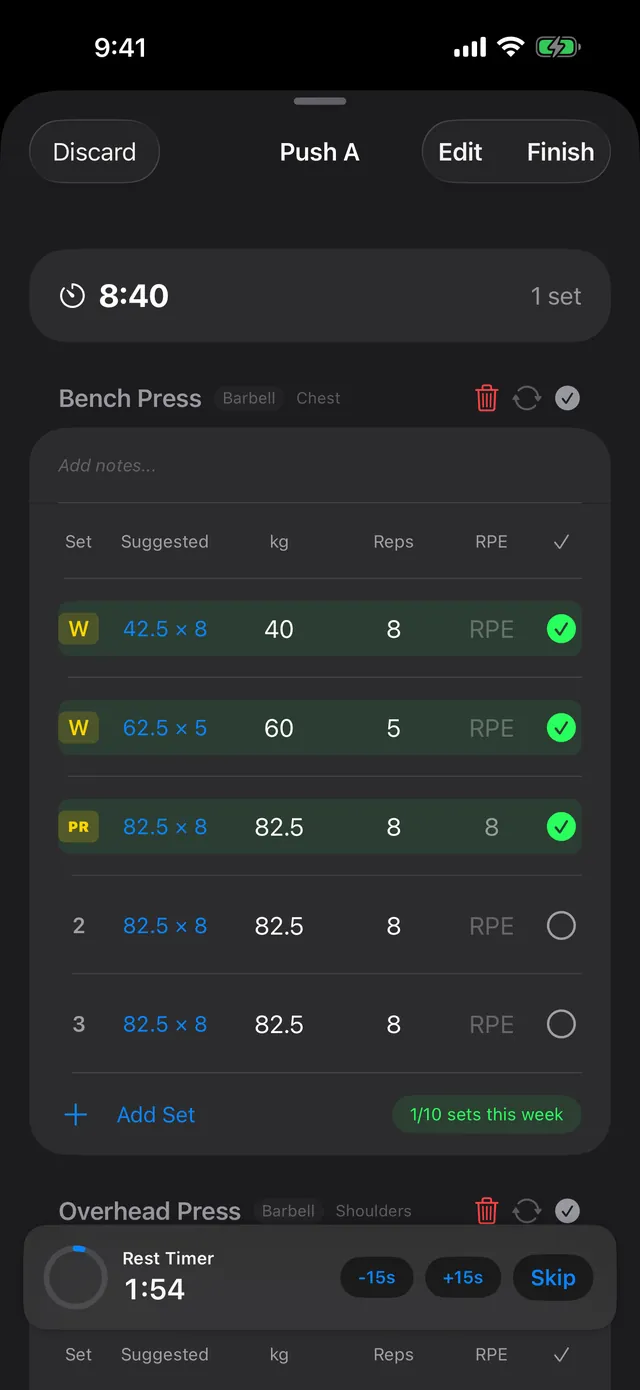
Each set shows a Suggested target based on the same set last session and the RPE you logged for it. Say you benched 80 kg × 8 at RPE 8 last week. This week the set shows ↑ 82.5 × 8. If last week was RPE 9, it suggests 80 kg again. At RPE 10 it suggests about 5% less, which rounds to 75 kg. Below RPE 7 it adds two steps, and with no RPE logged it adds one. A step is 2.5 kg, or 1.25 kg for weights under 40 kg. If RPE is new to you, the RPE calculator shows how RPE and reps translate into load.
Quick Log
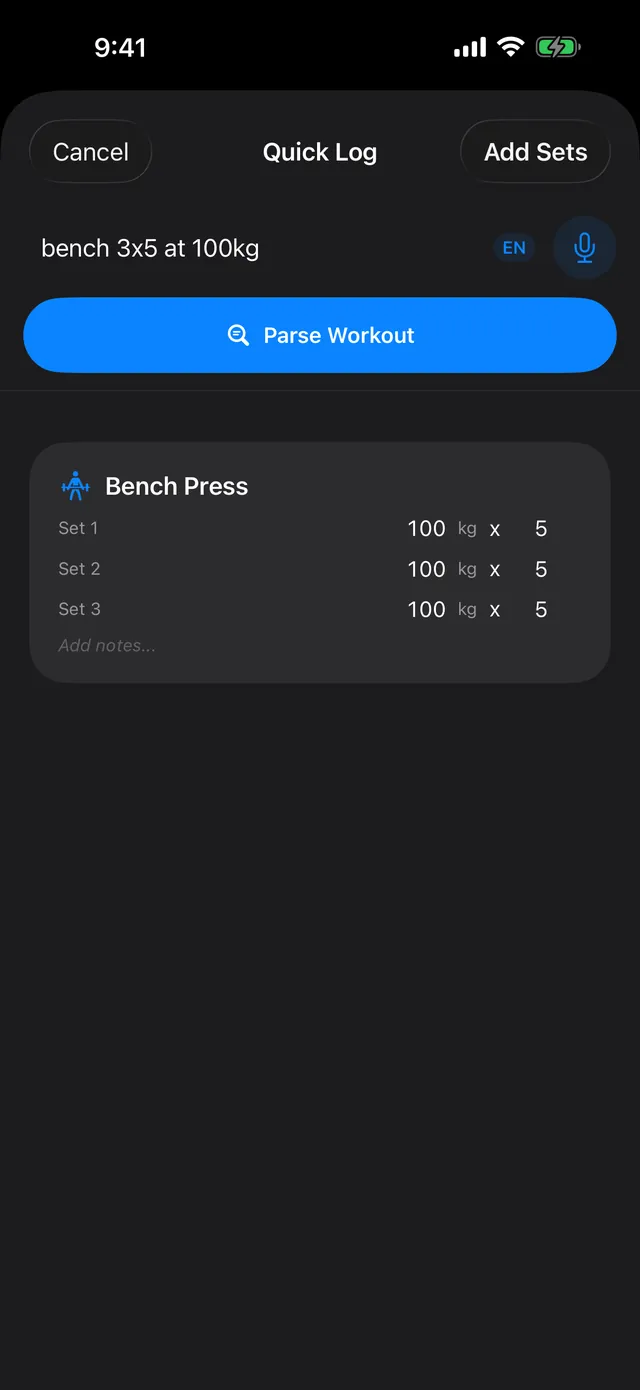
You can type or dictate a line like “bench 3x5 at 100kg” or “squat 5x5 @ 140kg RPE 8”, and PRGRES turns it into sets. A rule-based parser on the phone does the conversion. There's no AI model involved.
Weekly sets per muscle
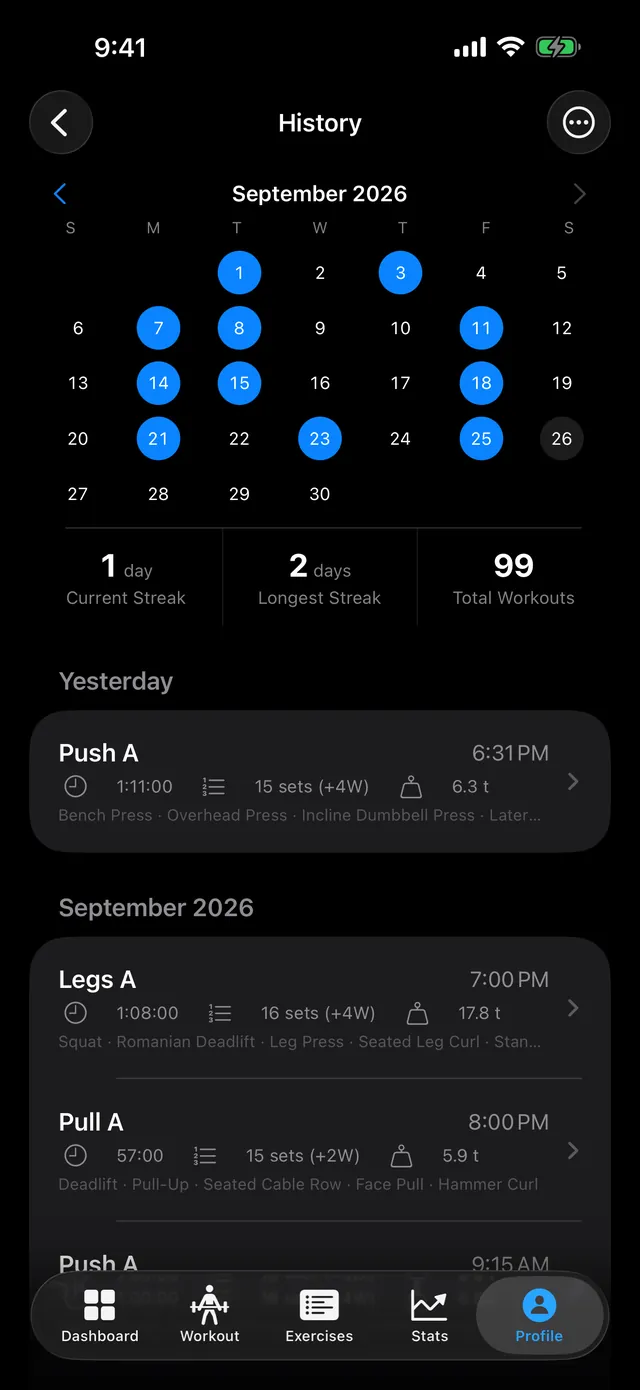
The Muscle Map in Stats counts your weekly sets per muscle and tags each muscle against volume landmarks, from Below MEV (minimum effective volume) through Optimal to Exceeds MRV (maximum recoverable volume). I cover what those landmarks mean, and what the research says about weekly sets, in how many sets per week you need.
Import from Strong and Hevy
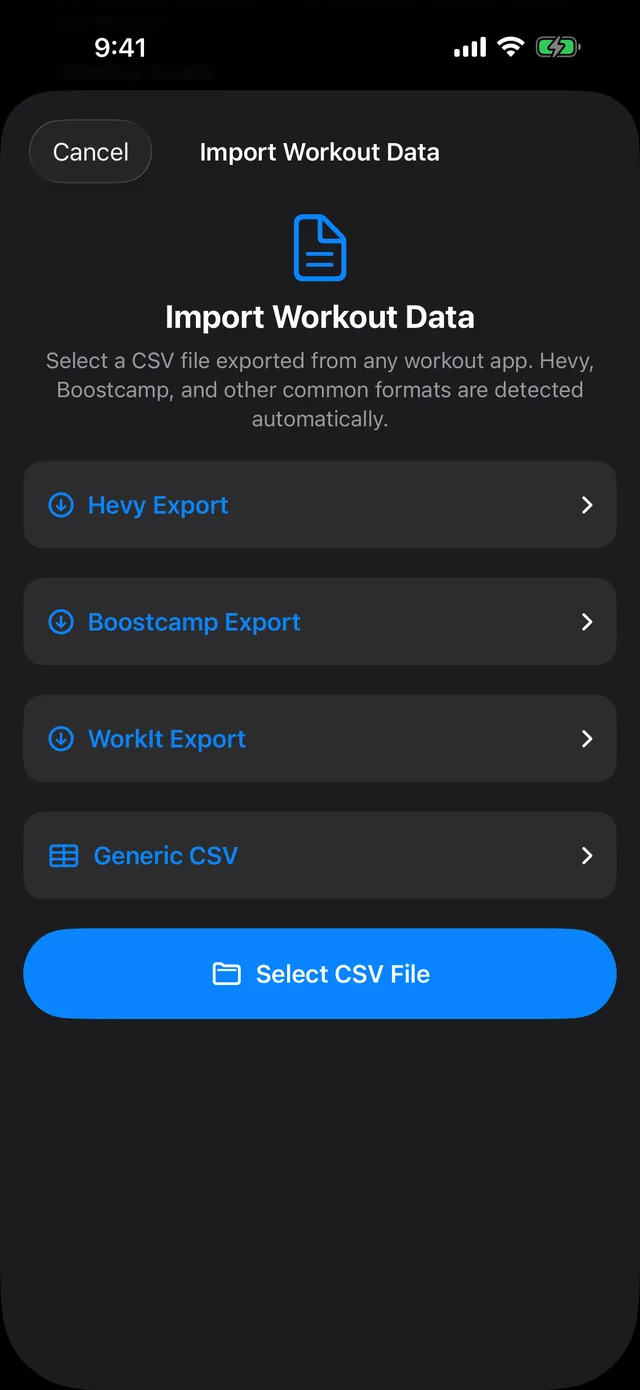
PRGRES imports the CSV exports from Strong, Hevy, Boostcamp and WorkIt. The import guide has the steps for each app, and how to move your Hevy workouts to PRGRES covers Hevy in detail.
Where your data lives
Strong prompts every new user to sign up for an account and syncs your workouts to Strong's cloud. Hevy needs an account and stores your workouts on its servers. That's what makes their sync work, and in Hevy's case the web app and the feed.
PRGRES stores your workouts on your iPhone. It has no account system, I don't run a server for the tracker, and the App Store privacy label reads “Data Not Collected.” It works fully offline.
A few things do leave the phone. Quick Log's voice input uses Apple's speech recognition, which may process the audio on Apple's servers. If you allow Apple Health, workouts you track live are saved there (iOS 26 and later). iCloud or computer backups of your iPhone include PRGRES's data. The privacy policy covers the app itself.
The cost of having no account is that nothing syncs. To move to a new iPhone, restore from a backup, or export your workouts as a CSV and import them on the new phone. If you lose your phone and have neither, your log is gone. I wrote more about that trade-off in the post on tracking offline with no account.
Who each app suits
- Strong is the pick if you want an Apple Watch app that logs without your phone. The free version covers up to 3 routines. If you need more and plan to stay for years, PRO Forever is a lifetime purchase at $99.99.
- Hevy makes sense if your friends train on it: it has the social feed, a web app, Wear OS support and the cheaper paid plan. Its free version works for up to 4 routines, as long as you don't need charts older than 3 months.
- PRGRES is for lifters on iPhone or iPad who don't need a watch app or sync and want their log kept on the device, with no account.
For one app at a time, see Strong vs PRGRES and Hevy vs PRGRES, or the overview of free alternatives to Strong and Hevy. For more apps than these three, I compare nine workout apps without a subscription.
Correction: the March 2026 version of this post listed Hevy Pro at €9.49 a month and said Hevy's free version shows ads. Both were wrong.